
Your Credits at a Glance — OfferBee Widgets for Your Home Screen and Lock Screen

Credits are easy to lose track of when they only live inside an app. With OfferBee 1.0.4, two widgets bring them to your Home Screen and Lock Screen, so you can see what's about to reset without opening anything.
⏳ Expiring credits
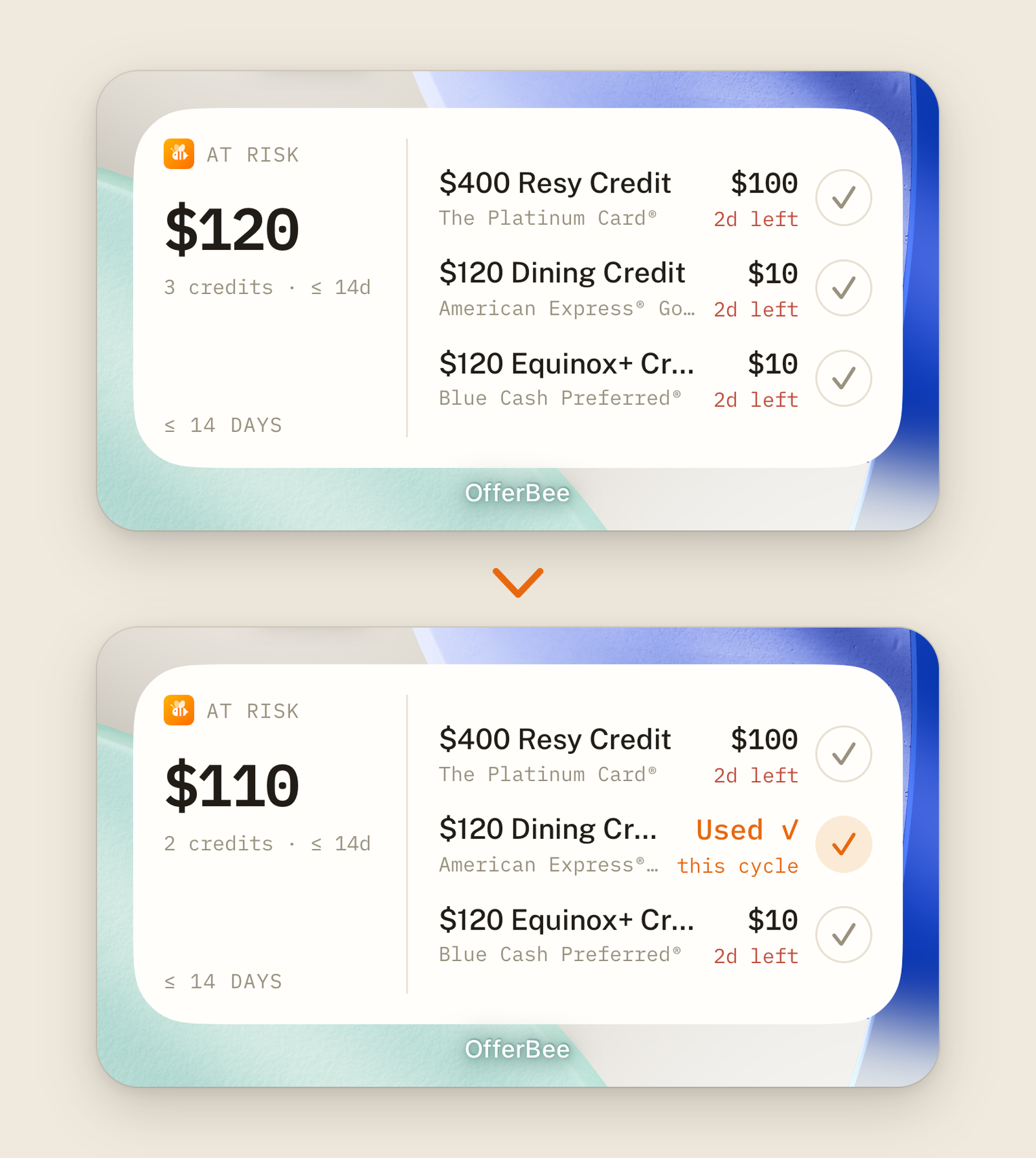
This widget shows the credits that reset soon, how much you have left on each, and the total at risk if you don't use them. Tap the widget to open OfferBee.
-
Check it off: used your Uber Cash? On your Home Screen, tap the check next to it and the row flips to Used ✓. On iPhone, OfferBee saves it to your account the next time you open the app.
-
Free for everyone: Expiring credits works on every account, with or without Premium.
📍 Best card here
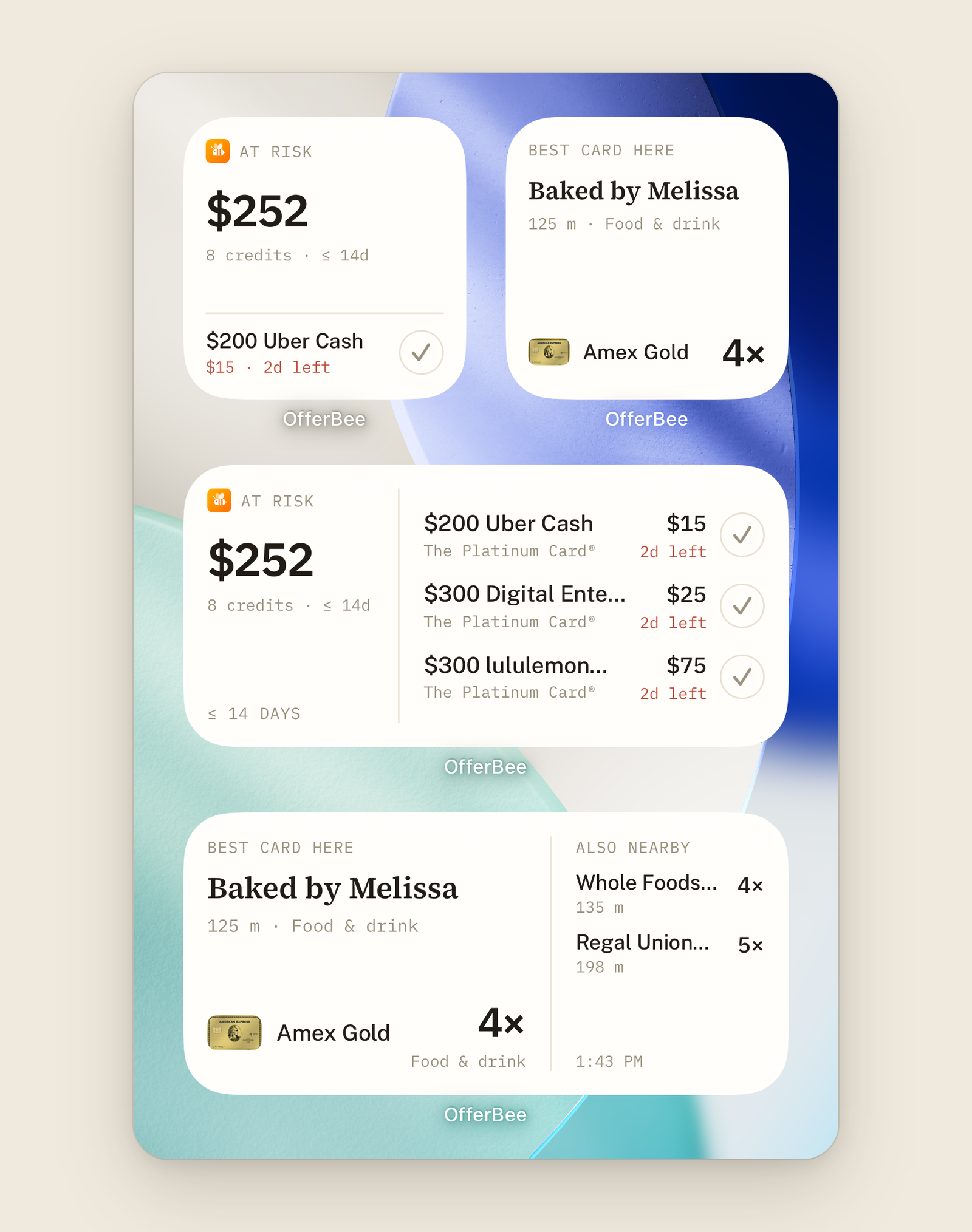
This one shows which card to use at places around you and what it earns, plus a note when one of your credits applies there. Tap it to open Best card. If you've moved since it last updated, opening Best card refreshes it.
Best card here is part of OfferBee Premium, including your free trial, and needs location access turned on for OfferBee.
🔒 Sizes and the Lock Screen
-
iPhone Home Screen: both widgets come in small, medium, and large.
-
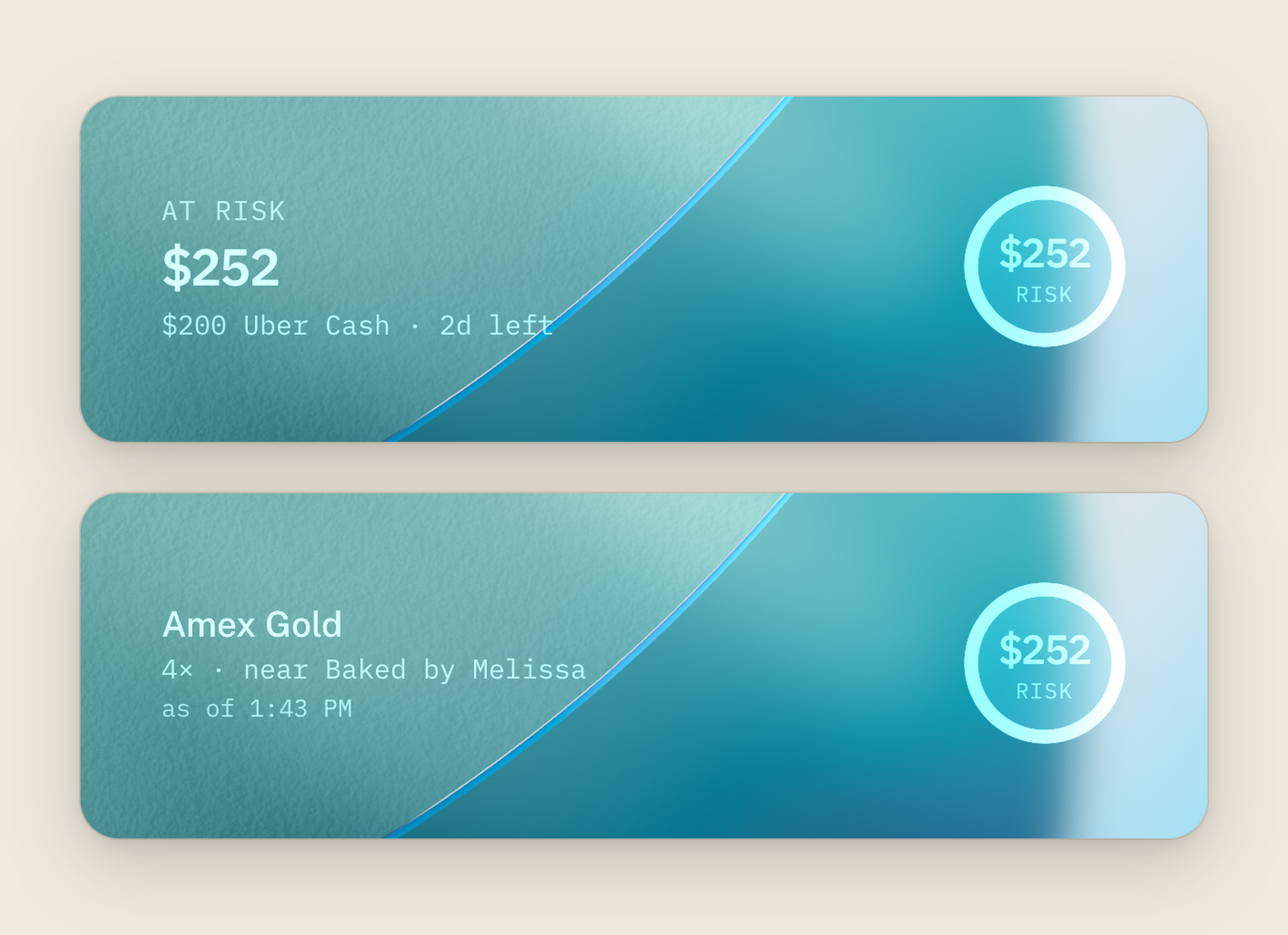
iPhone Lock Screen: Expiring credits comes as a one-line summary, a round gauge of your total at risk, or a rectangle with that total and the next credit to reset. Best card here comes as a rectangle with the top card nearby.
-
Android: one widget of each kind for your home screen. Resize it to fit.
On the Home Screen, both show your real card artwork and follow light or dark mode. Sign out, and the widgets clear.
➕ How to add one
-
iPhone Home Screen: touch and hold an empty spot, then tap Edit › Add Widget (or + on iOS 17). Search for OfferBee, pick a widget and size, and tap Add Widget.
-
iPhone Lock Screen: touch and hold the Lock Screen, tap Customize, choose your Lock Screen, then tap the widget area and pick OfferBee.
-
Android: touch and hold an empty spot on your home screen, tap Widgets, find OfferBee, and drag a widget into place.
Availability: widgets are in OfferBee 1.0.4, on the App Store and Google Play now.