
OfferBee 1.0.5 — Export Your Data to Excel, Card Suggestions, and a Fresh New Look

OfferBee 1.0.5 lets you take everything you track with you in one Excel file, points out where another card in your wallet would earn more, makes dwell offers quieter and more precise, and gives the app and the web dashboard a fresh look. Here's what changed.
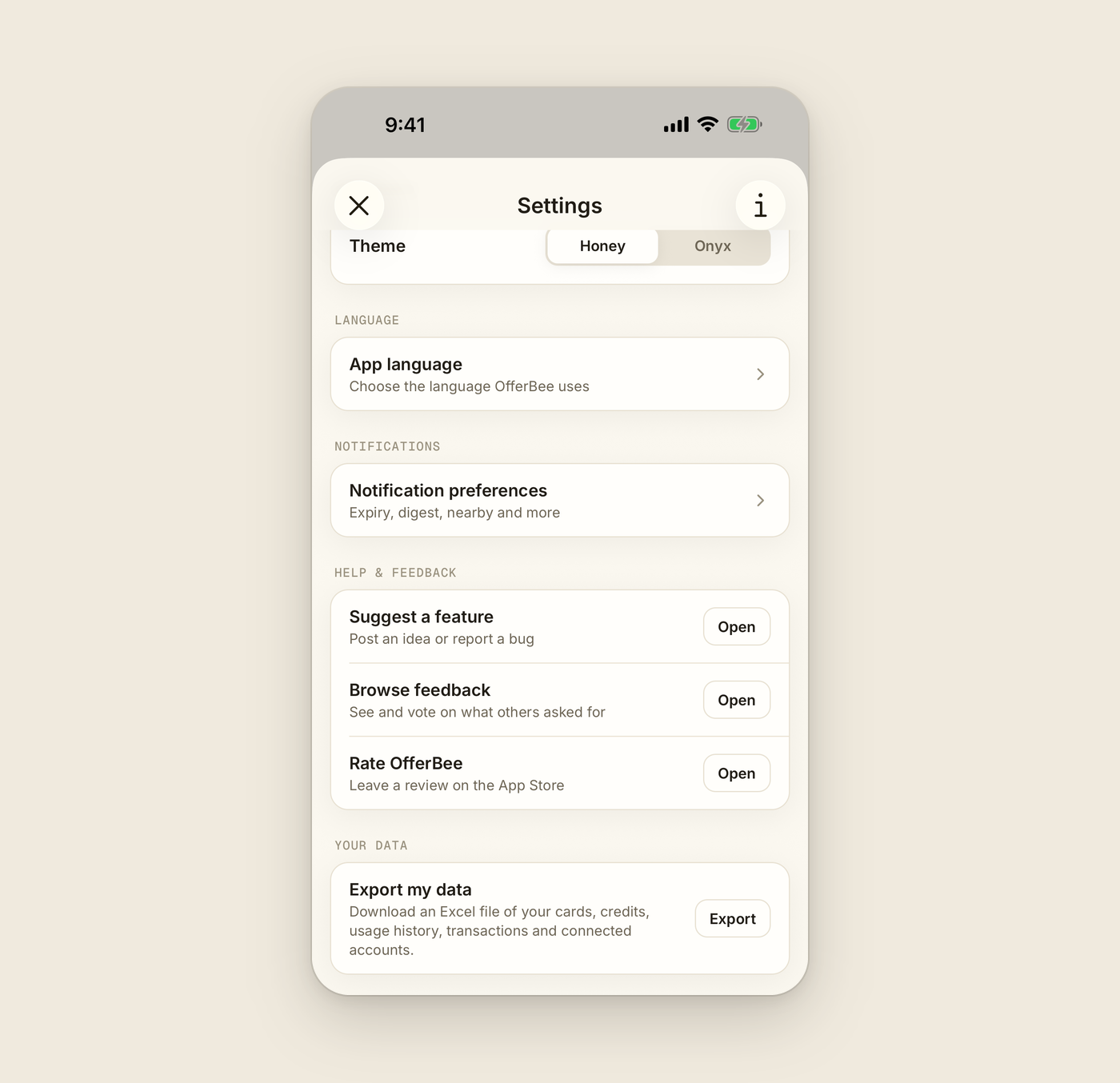
📊 Export your data to Excel
You asked for a way to export a yearly summary, and it's here. It's an Excel workbook rather than a PDF, so you can sort, filter and total it however you like. Open Settings, go to Your data, and choose Export my data.
-
A summary for every year: the credits you claimed on each card and, if your bank is connected, the annual fee it charged and where you came out.
-
Everything you track: your cards, credits and usage history, plus your transactions and connected accounts if you've linked a bank.
-
Saved where you want it: on iPhone and iPad, the share sheet opens so you can save the file to Files or send it on. On Android, you pick the folder. On the web, it downloads straight to your computer.
-
Made when you ask: the file is created when you tap Export and goes straight to you. We don't keep a copy or email it.
Exporting is free, and in the app it works even if your subscription has ended.
💳 Use the right card
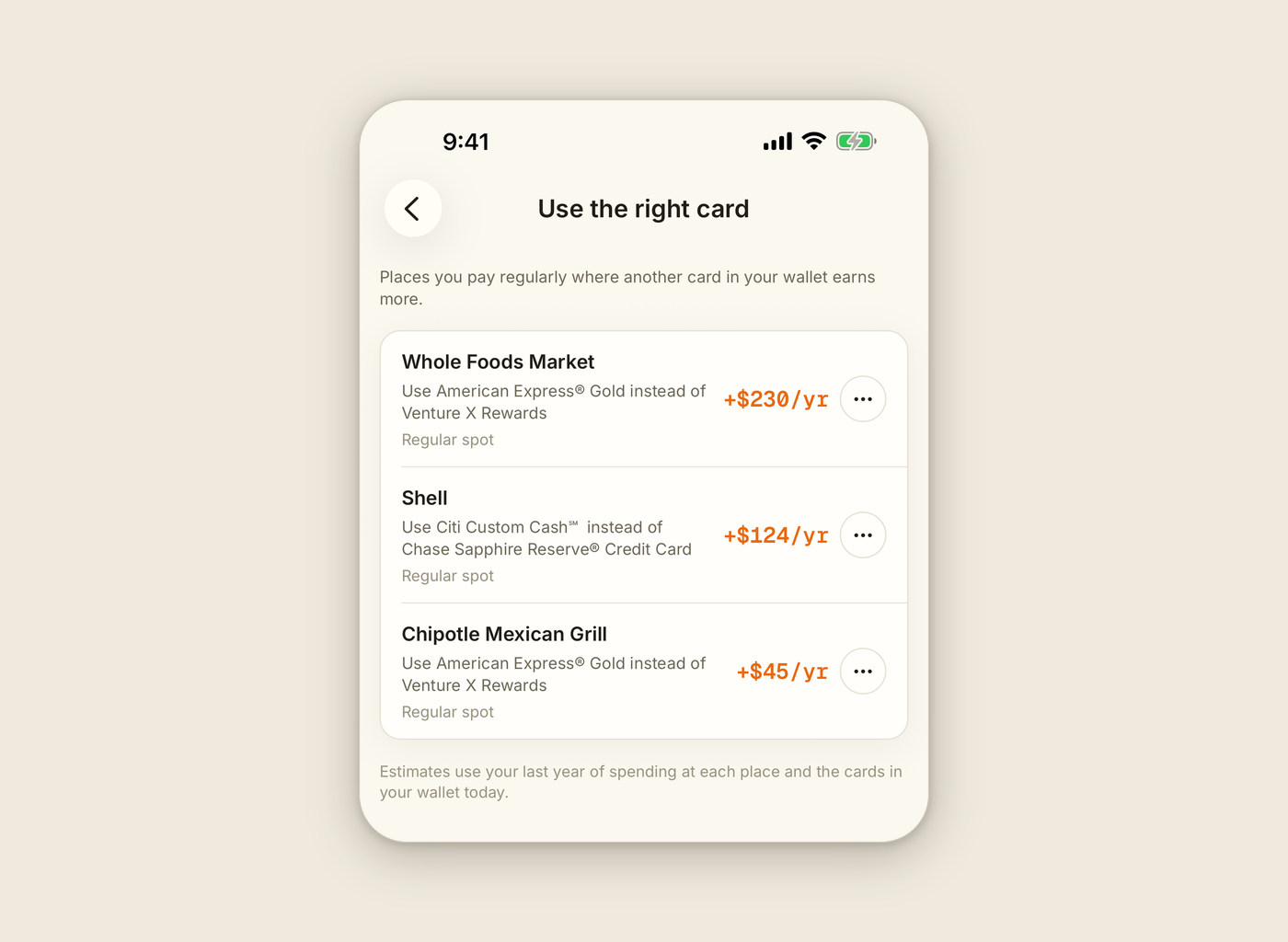
If you've connected a bank, OfferBee now looks at the places you pay regularly and tells you when another card already in your wallet would earn more there, with an estimate of how much more each year.
-
In the app: your biggest suggestions show on the Review tab under "Use the right card", and See all opens the full list.
-
On the web: suggestions show on Home and under Tips & Offers.
-
Credits come first: if one of your card's credits has been paying for a bill, like a streaming credit covering a subscription, we won't suggest moving that bill.
-
Hide what doesn't fit: hide any suggestion and tell us why.
Suggestions only compare cards you already have, and they appear once your connected cards have about three months of history. They're part of OfferBee Pro, including your free trial. On the web they're live now, and in the app they come with 1.0.5.
📍 Dwell offers that know where you stopped
Dwell offers suggest the best card to use when you stop somewhere for a while. They're now more careful about when they arrive and which place they name.
-
The place you're actually at: an offer only names a place close to where you stopped, not one across town.
-
Nothing to say, no notification: if there's no place nearby worth a card tip, you won't get a "Stopped somewhere new?" notification any more.
-
Waits for a real stop: the app now waits until you've stayed put, so stop-and-go traffic or a red light shouldn't set one off.
-
On time or not at all: an offer that gets held up now expires within minutes instead of reaching you after you've left.
Waiting for a real stop comes with 1.0.5. The rest is already live in every version of the app. Dwell offers are part of OfferBee Pro, including your free trial, and need location access.
✨ A fresh look
-
In the app: a cleaner new typeface throughout.
-
A new Home on the web: the web dashboard has a warmer redesign and a new Home page with what you've captured this year, what's left this month and what resets in the next 7 days. Mark a credit used right there, and see your wallet, your bank connection and your latest alerts at a glance.
-
offerbee.ai: a calmer, simpler homepage.
⭐ Smaller things you'll notice
-
Rate OfferBee: in the app, Settings has a new Rate OfferBee row under Help & feedback that opens our App Store or Google Play page.
-
A quick rating, rarely: now and then, right after you log a credit, the app may ask you to rate it. It never asks more than once every three months.
Availability: OfferBee 1.0.5 is out now on the App Store and Google Play — update the app to get everything above. Everything on the web is already live.
Have an idea or found something off? Tell us on the feedback board.